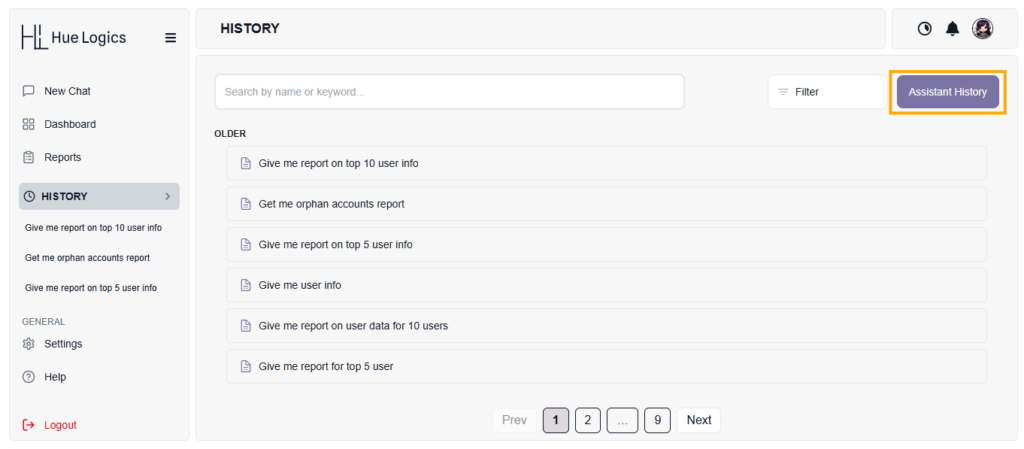
The History page allows users to view and manage all previous chat interactions.
Features: #
- Displays a list of all past queries and conversations
- Includes search and filter options for easy navigation
Actions: #
- View History – Click on any chat to open it
- Edit Name – Rename a saved query
- Delete History – Remove unwanted chat records
Navigation: #
- When a user clicks on any history item:
- They are redirected to the Chat Screen
- All previous messages and results are displayed
Assistant History
The Assistant History page allows users to view detailed records of all interactions with the AI assistant.
Features: #
- Displays a list of all past queries with timestamps
- Includes a search option to quickly find specific queries
How it Works: #
- Each query is shown in a collapsible (toggle) format
- By default, only the query is visible
View Response: #
- Click on any query to expand it
- The full response/answer will be displayed below
Navigation: #
- Users can browse multiple pages using pagination controls