
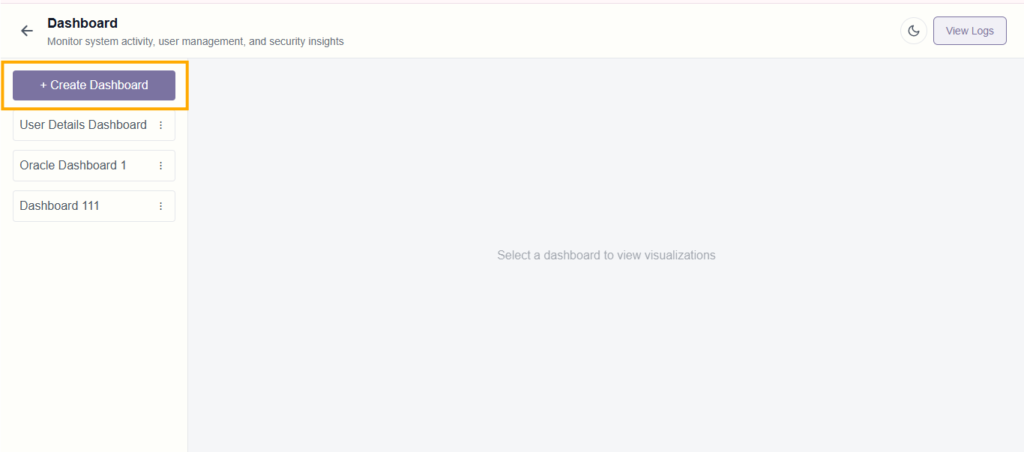
Users can create a new dashboard using the pop-up form.
Steps:
- Click on + Create Dashboard
- Enter:
- Dashboard Name
- Description
- Click Create
- Dashboard appears in the list
Manage Dashboard #
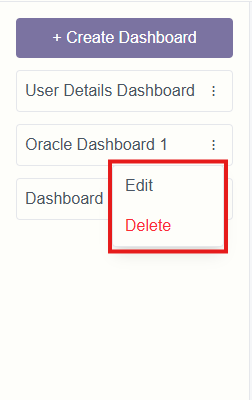
Users can edit or delete dashboards from the list.
Actions:
- Click on menu next to the dashboard
- Select:
- Edit – Update dashboard details
- Delete – Remove dashboard
Delete Confirmation #
System confirms before deleting a dashboard.
Action:
- Click Delete → Dashboard removed
- Click Cancel → Action stopped