
After successfully logging into the application, the user is redirected to the Home (Chat) Screen, which serves as the main workspace.
On this screen, the user can view:
- Chat Interface – The central area where users can interact with the system and request insights from logs.
- Sidebar Navigation – Located on the left side for easy access to different sections of the application.
- Top Navbar – Positioned at the top, providing quick access to the user profile and other controls.
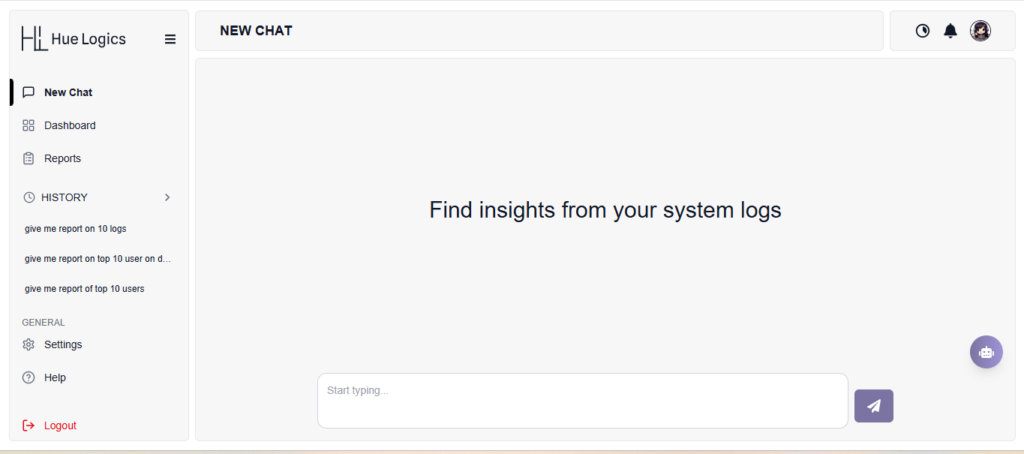
Sidebar Navigation #
The sidebar allows users to easily navigate through different features of the application.
Users can see the following options:
- New Chat – Start a new conversation or query
- Dashboard – View system overview and insights
- Reports – Access generated reports
- History – View previously asked queries
- Settings – Manage application preferences
- Help – Open the help and documentation section
- Logout – Securely exit the application